
Most Indian ecommerce brands do not realize they have outgrown their store until something breaks. The store works fine. Orders come in. Then Diwali happens. A celebrity mentions the product. A winning ad creative goes live, and within hours, the site either handles the traffic or it does not.
That breaking point is exactly where Shopify Plus enters the picture.
Shopify Plus is not just a more expensive Shopify plan. It is a completely different infrastructure tier, built for high-volume Indian ecommerce brands that need custom checkout flows, automated backend operations, multi-storefront management, and the kind of performance that standard plans cannot deliver during peak traffic.
But the real question is: does your brand actually need it right now?
Shopify Plus starts at ₹1,75,000 per month. Add GST, development costs, and app subscriptions on top, and you are looking at a significant monthly spend. For brands doing ₹50 lakh to ₹5 crore in annual revenue, this is not a quick decision. It depends on order volume, checkout complexity, growth trajectory, and whether you have truly outgrown Shopify Advanced.
This blog on shopify plus development in india which covers cost, features, cost, is it worth it? and when to upgrade breaks all of that down. Whether you are evaluating Shopify Plus for the first time or comparing it against Magento and BigCommerce Enterprise, everything you need to make this decision is here.
What is Shopify Plus, and How is It Different from Standard Shopify Plans
Shopify Plus is Shopify’s enterprise-tier commerce platform, built for brands that have outgrown the operational limits of Basic, Grow, and Advanced plans. It runs on the same core Shopify infrastructure, but unlocks an entirely different level of customization, automation, and scalability.
The difference is not cosmetic. Standard Shopify plans give you a storefront, a checkout, and a set of configurable options within defined boundaries. Shopify Plus removes most of those boundaries.
Here is what changes when you move to Plus:
Checkout ownership.
On standard plans, the checkout is locked. You cannot add custom fields, rearrange payment steps, inject trust signals, or build conditional logic based on cart value. On Plus, Checkout Extensibility gives you full control over the checkout UI through Shopify’s API. For Indian brands, this means adding COD verification steps, UPI payment nudges, or dynamic free shipping thresholds that actually reduce cart abandonment.
Backend automation at scale.
Shopify Flow, which is exclusive to Plus for its full capabilities, lets you build automated workflows triggered by real events. When a customer places an order above ₹10,000, auto-tag them as a VIP. When inventory drops below 50 units, trigger a Slack alert to your procurement team. When a COD order fails delivery twice, auto-cancel and flag for review. These are not hypothetical examples. Indian D2C brands running 500+ orders daily cannot manage these decisions manually.
Multi-storefront architecture.
Plus gives you up to 9 expansion stores under one admin. This is critical for Indian brands that need a separate B2B wholesale storefront alongside their D2C store, or brands expanding to international markets that need currency-specific storefronts with localized checkout flows.
Custom backend logic.
Shopify Functions replaced the older Scripts feature and lets you write server-side logic for discounts, shipping, and payment customization. Want to offer tiered discounts that change based on customer tags, cart total, and product combinations? Functions handles that without third-party apps eating into your margins.
Dedicated infrastructure.
Plus merchants get priority server resources, higher API call limits (which matters if you are running custom integrations with ERPs or logistics partners), and a dedicated Merchant Success Manager for strategic support.
The simplest way to think about it: Shopify Advanced gives you a powerful, well-configured store. Shopify Plus gives you a commerce platform you can build on top of.
Shopify Plus Features That Actually Matter for Indian Ecommerce Brands
Shopify Plus comes loaded with features, but not all of them carry equal weight for Indian ecommerce operations. Some features are game-changers for brands selling domestically. Others only make sense once you are expanding internationally or running B2B alongside D2C.
Here are the features that Indian brands actually use and benefit from, ranked by operational impact:
Checkout Extensibility
This is the single biggest reason Indian brands upgrade to Plus. Standard Shopify plans lock the checkout completely. You cannot add a COD verification OTP step. You cannot show UPI-specific trust badges. You cannot rearrange the payment method order based on the customer’s location or cart size.
With Checkout Extensibility on Plus, all of that becomes possible through Shopify’s Checkout UI Extensions API. Brands running heavy COD volumes in India typically see a 15-25% reduction in RTO (return to origin) rates just by adding a small COD verification fee or OTP step at checkout.
Shopify Flow (Automation Engine)
Flow lets you build if-this-then-that automation workflows without writing code. For Indian brands, the most valuable Flow automations include:
- Auto-tagging high-value customers based on lifetime spend thresholds
- Triggering restock alerts to suppliers via email or Slack when inventory drops below set levels
- Automatically cancelling COD orders from pin codes with historically high RTO rates
- Tagging and routing orders to different fulfillment partners based on delivery zone
- Flagging potentially fraudulent orders based on order velocity and discount code usage patterns
Brands processing 200+ orders daily without Flow are essentially paying team members to do what automation should handle.
Shopify Functions (Custom Backend Logic)
Functions replaced Shopify Scripts and runs server-side, which means faster execution and no dependency on third-party apps for core discount and shipping logic.
For Indian brands, the most common use cases include:
- Tiered pricing: buy 2 get 10% off, buy 5 get 25% off, with rules that stack differently for wholesale vs retail customers
- Location-based shipping: free delivery within metro cities, flat rate for Tier 2 and Tier 3 cities, COD charges applied dynamically
- Payment method customization: hiding COD for orders above a certain value, or showing specific payment gateways based on cart total
B2B on Shopify (Wholesale Channel)
Plus lets you run a B2B storefront from the same Shopify admin as your D2C store. This means separate price lists for wholesale buyers, company account management, net payment terms, and quantity-based pricing, all without maintaining a separate website or ERP.
For Indian brands that sell through distributors or offline retail partners alongside their own D2C channel, this eliminates the need for a separate wholesale ordering system entirely.
Expansion Stores (Multi-Storefront)
You get up to 9 additional storefronts included with Plus. Each can have its own domain, theme, currency, and checkout flow while sharing a single product catalog and admin backend.
Indian brands use this for:
- Separate international storefronts (a .co.uk store for UK customers with GBP pricing and local payment methods)
- Brand-specific stores under a parent company (running multiple sub-brands from one admin)
- Dedicated B2B storefronts with different themes and pricing structures
Launchpad (Scheduled Events and Flash Sales)
Launchpad lets you schedule product launches, flash sales, and collection-wide price changes in advance. It auto-publishes at the scheduled time and auto-reverts when the event ends.
During peak Indian shopping events like Diwali, Navratri sales, or Republic Day promotions, brands using Launchpad do not need team members staying up until midnight to manually toggle discounts.
ShopifyQL Notebooks (Custom Analytics)
ShopifyQL gives you direct query access to your store’s data beyond what standard Shopify Analytics reports show. You can build custom reports combining order data, customer segments, product performance, and financial metrics.
For brands that have outgrown the standard analytics dashboard and want granular data without exporting everything to Google Sheets or a BI tool, ShopifyQL fills that gap.
Shopify Audiences (AI-Powered Ad Targeting)
Audiences analyzes purchase patterns across the Shopify network and generates custom audience lists for ad platforms like Meta and Google. The idea is straightforward: Shopify sees buying behavior across millions of stores and uses that data to find lookalike audiences more accurately than any single store’s pixel data could.
This feature is worth testing for Indian brands spending ₹5 lakh or more monthly on paid acquisition, though results vary significantly by category and audience overlap with the broader Shopify network.
Shopify Plans Comparison: Basic vs Grow vs Advanced vs Plus
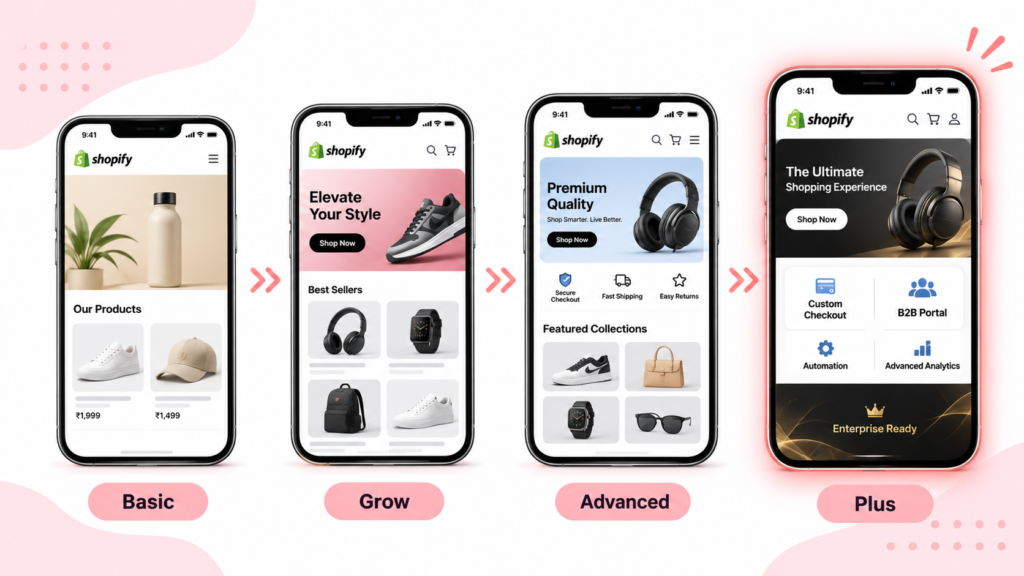
Before evaluating Shopify Plus, it helps to see exactly where each plan sits in terms of pricing, features, and operational limits. Most brands upgrade not because they want more features, but because they hit a wall on their current plan that starts costing them money.
Here is a side-by-side breakdown of all four plans as of 2027:
| Feature | Basic | Grow | Advanced | Plus |
| Monthly Price (INR) | ₹1,994 | ₹7,447 | ₹30,164 | Starts at ₹1,75,000 |
| Staff Accounts | 1 | 5 | 15 | Unlimited |
| 3rd-Party Payment Provider Fee | 2% | 1% | 0.6% | 0.2% |
| Checkout Customization | Limited | Limited | Limited | Full (Checkout Extensibility) |
| B2B Catalogs | Up to 3 | Up to 3 | Up to 3 | Unlimited |
| Expansion Stores | No | No | No | Up to 9 |
| Custom Functions | No | No | No | Yes |
| API Rate Limits | Standard | Standard | Up to 2x | Up to 10x |
| Inventory Locations | 10 | 10 | 10 | 200 |
| 24/7 Support | Live chat | Live chat | Enhanced live chat | Priority support |
For the latest official pricing, check Shopify’s pricing page.
A note on transaction fees for Indian merchants: Shopify Payments is currently not available in India. This means every Indian store pays the additional transaction fee on top of their payment gateway’s processing fee. At scale, this fee difference between plans adds up. A brand processing ₹1 crore monthly on Advanced pays 0.6% (₹60,000) in Shopify transaction fees. On Plus, that drops to 0.2% (₹20,000). That ₹40,000 monthly saving helps offset part of the Plus subscription cost, though it does not cover it on its own.
When Basic and Grow stop making sense: If your store processes more than ₹50-60 lakh monthly, the transaction fee savings from upgrading to Advanced start justifying the price jump. Below that, Grow’s lower base cost makes more sense even with the higher fee. If you are on Advanced and your monthly GMV crosses ₹2-3 crore, the math starts tilting toward Plus, especially when you combine transaction fee savings with checkout customization, automation efficiency, and RTO reduction gains. At ₹75 lakh to ₹1 crore monthly, Plus can still make sense, but only if you are actively using Plus-specific features that deliver operational savings beyond just the fee difference.
The real upgrade trigger is not features, it is friction. Most brands do not upgrade because they want Launchpad or ShopifyQL. They upgrade because their checkout flow cannot be customized, their team is drowning in manual order management tasks, or their transaction fees are eating into already thin margins. The feature list just confirms whether Plus solves those specific problems.
Shopify Plus Costs in India: The Full Picture
The subscription fee is just one line item. When Indian brands ask “how much does Shopify Plus cost,” the honest answer includes everything that goes on top of that monthly fee. Here is the complete cost breakdown:
Shopify Plus Subscription
Shopify Plus starts at ₹1,75,000 per month in India. The exact price depends on your contract length and negotiation with Shopify’s sales team. Longer commitments (typically 2–3 years) often come with lower monthly rates.
GST (18%) applies on top, so your actual monthly cost starts at roughly ₹2,06,500 before any negotiated discounts.
Shopify may also apply a variable platform fee (typically 0.25–0.40% of GMV) once your store crosses a revenue threshold, usually around $800,000 annually. This is worth factoring in for high-volume brands.
Shopify Plus Development Costs
The subscription gets you access to the platform. Building, customizing, and migrating your store is a separate cost entirely.
For a broader look at Shopify development costs across all plans, not just Plus, check our complete page on Shopify development for D2C brands.
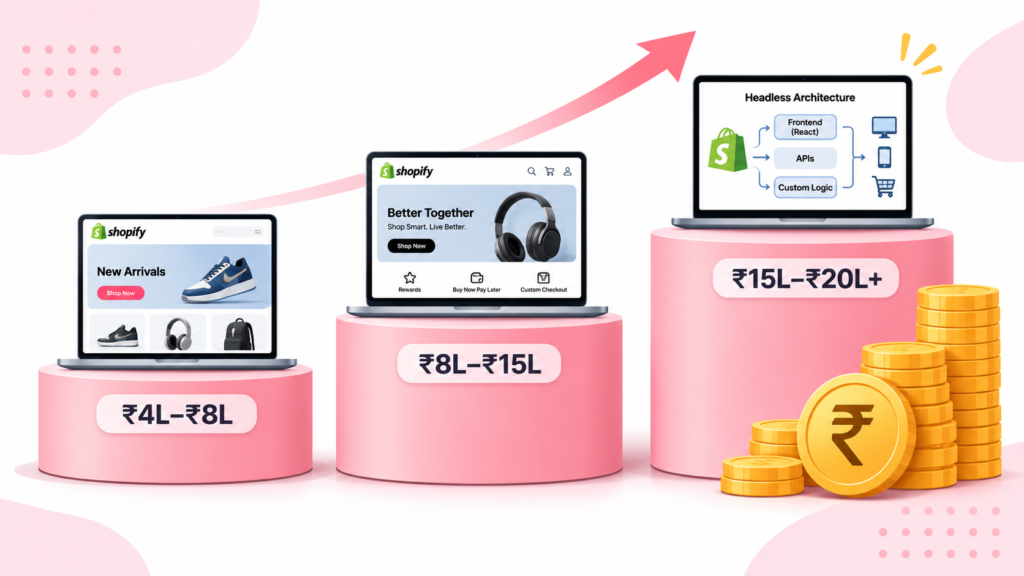
Typical Shopify Plus development costs in India:
| Scope | Cost Range (INR) |
| Basic Plus setup (theme customization + migration) | ₹4,00,000 – ₹8,00,000 |
| Custom Plus build (custom theme + integrations + checkout) | ₹8,00,000 – ₹15,00,000 |
| Enterprise Plus build (headless, complex integrations, B2B + D2C) | ₹15,00,000 – ₹20,00,000+ |
These ranges are for Indian agencies. International agencies or Shopify’s own partner agencies often charge 2-3x these rates.
Ongoing Costs After Launch
The costs do not stop at development:
- App subscriptions: Most Plus stores run 10–20 paid apps. Budget ₹30,000 – ₹1,00,000+ monthly depending on your tech stack (loyalty programs, review apps, logistics integrations, analytics tools)
- Maintenance and support: Regular theme updates, bug fixes, performance optimization, and feature additions typically run ₹20,000 – ₹60,000+ monthly on retainer
- Payment gateway fees: Since Shopify Payments is not available in India, you will pay your gateway’s processing fee (Razorpay, Cashfree, or PayU typically charge 2–4%) plus Shopify’s 0.2% transaction fee
Total First-Year Cost Estimate
For a mid-range Indian D2C brand migrating to Shopify Plus:
| Cost Component | Annual Estimate (INR) |
| Plus subscription (incl. 18% GST) | ~₹24,78,000 |
| Development and migration | ₹8,00,000 – ₹15,00,000 |
| App subscriptions | ₹3,60,000 – ₹12,00,000 |
| Maintenance retainer | ₹2,40,000 – ₹7,20,000 |
| Total first year | ₹38,78,000 – ₹58,98,000 |
This is a significant investment. But for brands processing ₹1 crore+ monthly, the transaction fee savings alone can recover ₹4–5 lakh annually compared to Advanced. The operational efficiency gains from automation and checkout customization typically deliver returns that more than justify the spend.
Shopify Plus ROI: At What Revenue Does It Pay for Itself
The Plus upgrade only makes financial sense when the savings and revenue gains outweigh the additional cost. Let us do the actual math.
Transaction Fee Savings
This is the most straightforward ROI calculation. Since Shopify Payments is unavailable in India, every merchant pays Shopify’s additional transaction fee:
- Shopify Advanced: 0.6% per transaction
- Shopify Plus: 0.2% per transaction
- Savings: 0.4% of total GMV
At different monthly revenue levels:
| Monthly GMV | Advanced Fee (0.6%) | Plus Fee (0.2%) | Monthly Saving |
| ₹50 lakh | ₹30,000 | ₹10,000 | ₹20,000 |
| ₹1 crore | ₹60,000 | ₹20,000 | ₹40,000 |
| ₹2 crore | ₹1,20,000 | ₹40,000 | ₹80,000 |
| ₹5 crore | ₹3,00,000 | ₹1,00,000 | ₹2,00,000 |
The Plus subscription starts at ₹1,75,000 per month. Subtract the Advanced plan cost (₹30,164 monthly), and the incremental monthly cost of upgrading to Plus is approximately ₹1,45,000.
From transaction fee savings alone, the break-even point sits around ₹3.6 crore monthly GMV. At that volume, the 0.4% fee reduction fully covers the subscription upgrade cost.
Operational Efficiency Gains
Transaction fees are just one piece. The less obvious but often larger ROI comes from:
Reduced manual operations. Shopify Flow automations can replace 1–2 full-time operational staff for order management, inventory alerts, customer segmentation, and fraud flagging. At Indian salary levels, that is ₹30,000 – ₹60,000 per month in operational savings.
Lower RTO rates. Checkout customization that adds COD verification steps, prepaid incentives, or address validation typically reduces RTO by 10–25%. For a brand with 30% COD orders and a 20% RTO rate on ₹1 crore monthly GMV, even a 10% reduction in RTO saves ₹1 – ₹2 lakh monthly when you factor in reverse shipping, repackaging, inventory holding, and damaged goods costs.
Higher conversion rates. Custom checkout flows with localized payment options, dynamic trust signals, and streamlined steps typically improve checkout completion by 5–15%. On ₹1 crore monthly GMV, even a 5% improvement translates to ₹5 lakh in additional captured revenue monthly.
Realistic Break-Even Scenario
For a brand doing ₹1 crore monthly GMV:
| Factor | Monthly Impact |
| Transaction fee savings | +₹40,000 |
| Operational staff savings (Flow) | +₹40,000 |
| RTO reduction (conservative) | +₹1,50,000 |
| Conversion rate improvement | +₹5,00,000 |
| Total monthly gains | +₹4,80,000 |
| Plus incremental cost | -₹1,45,000 |
| Net monthly ROI | +₹3,35,000 |
Even with conservative estimates, brands doing ₹1 crore+ monthly typically see positive ROI within 3–6 months of migrating to Plus. The brands that struggle with ROI are usually those under ₹50 lakh monthly GMV who upgraded too early, before they had enough order volume for automation and checkout optimization to move the needle.
Shopify Plus Integrations That Indian Brands Actually Need
Shopify Plus opens up deeper integration capabilities through higher API limits and custom app access. But the integration landscape for Indian brands looks very different from what US or European merchants need. Indian ecommerce runs on a specific tech stack, and your Plus store needs to plug into it cleanly.
Here are the integration categories that matter most:
Payment Gateways
Since Shopify Payments is unavailable in India, every Plus store needs a third-party payment gateway:
- Razorpay is the most widely used, supporting UPI, credit/debit cards, net banking, wallets, and EMI options. Their Shopify integration is mature and handles high transaction volumes reliably.
- Cashfree Payments offers competitive processing rates and has strong support for automated payouts, which matters if you are managing vendor or affiliate payments alongside customer transactions.
- PayU is another established option, particularly popular with larger brands that need international payment acceptance alongside domestic methods.
The key consideration on Plus is that your gateway integration should support Checkout Extensibility, so you can customize payment method display order, add trust badges, and implement conditional payment logic through Shopify Functions.
Logistics and Shipping
Indian ecommerce logistics is fragmented. No single carrier covers every pin code reliably. Plus stores typically integrate with:
- Shiprocket or Pickrr for multi-carrier aggregation, covering 29,000+ pin codes with automatic carrier allocation based on serviceability and cost
- Delhivery or Blue Dart as direct integrations for brands with negotiated enterprise rates
- Shipway or ClickPost for tracking pages, delivery notifications, and NDR (non-delivery report) management
Shopify Flow on Plus ties into these integrations directly. You can build workflows that route orders to specific carriers based on weight, pin code tier, or whether the order is prepaid vs COD.
ERP and Accounting
Brands processing 500+ orders daily need their Shopify data flowing into accounting and operations systems:
- Tally integration (through middleware like Vin eRetail or custom APIs) for GST-compliant invoicing and inventory management
- Zoho Inventory or Zoho Books for mid-size brands that want a cloud-based operations stack
- SAP Business One or Oracle NetSuite for larger enterprises that need full ERP integration
Plus’s higher API call limits (at least double what Advanced allows) are essential here. Brands syncing order data, inventory levels, and financial records in real-time between Shopify and their ERP burn through API calls quickly, and hitting rate limits on a standard plan during peak hours causes sync failures that create inventory mismatches.
CRM and Marketing Automation
- Klaviyo remains the dominant email and SMS marketing platform for Shopify Plus stores globally, with deep integration for flows, segments, and customer data sync
- WebEngage or MoEngage for Indian brands that need multi-channel engagement (WhatsApp, push notifications, in-app messaging) beyond email and SMS
- WhatsApp Business API (through providers like Interakt, Wati, or AiSensy) for order updates, abandoned cart recovery, and conversational commerce, which is increasingly critical for Indian D2C brands
Analytics and Business Intelligence
- Google Analytics 4 with enhanced ecommerce tracking for acquisition and behavior data
- Lifetimely or Triple Whale for customer lifetime value analytics and cohort-based profitability tracking
- Custom BI integrations using ShopifyQL data exports piped into tools like Metabase, Looker, or Power BI for brands that want full control over their reporting stack
The common mistake brands make with integrations is trying to connect everything at once during migration. A phased approach works better: get your payment gateway, logistics, and core analytics live first, then layer in ERP, CRM, and advanced marketing integrations over the next 30-60 days once your base operations are stable.
Headless Commerce with Shopify Plus: Is It Worth It for Indian Brands
Headless commerce is one of the most discussed topics in Indian ecommerce right now, and Shopify Plus is one of the few platforms that makes it genuinely feasible through Hydrogen (Shopify’s React-based headless framework) and the Storefront API.
But the question is not whether headless is possible on Plus. The question is whether your brand actually needs it.
What Headless Actually Means
In a traditional Shopify setup, the frontend (what customers see) and the backend (product data, orders, inventory) are tightly coupled. Shopify’s theme system controls both. With headless, you decouple the frontend entirely. Your storefront is a custom-built web application (usually React or Next.js) that pulls data from Shopify’s backend via APIs.
This gives you complete design freedom, faster page loads through static site generation, and the ability to build experiences that Shopify’s theme architecture cannot support.
When Headless Makes Sense for Indian Brands
Headless is worth the investment when:
- Your brand needs an app-like shopping experience with complex interactions, animations, and micro-interactions that Liquid themes cannot deliver
- You are running content-heavy commerce where editorial content, lookbooks, and storytelling need to blend seamlessly with product discovery (fashion and lifestyle brands often fall here)
- You need extreme performance for mobile-first Indian audiences on variable network conditions, since headless storefronts with proper SSR and edge caching can deliver sub-second load times
- You are building a unified experience across web, mobile app, and in-store kiosks using the same Shopify backend
When Headless is Overkill
For most Indian D2C brands doing ₹50 lakh to ₹5 crore annually, headless is overkill. Here is why:
- Development costs jump 2-3x. A headless Plus build in India typically costs ₹15,00,000 – ₹25,00,000+ compared to ₹4,00,000 – ₹15,00,000 for a standard Plus build. The ongoing maintenance cost is also higher because you need dedicated shopify developers who understand both React/Next.js and Shopify’s Storefront API.
- Shopify’s theme architecture has improved significantly. With Online Store 2.0, sections everywhere, and the new theme performance improvements, a well-built Shopify theme on Plus can achieve 85-95+ performance scores on mobile. For most brands, this is good enough.
- You lose native Shopify app compatibility. Many Shopify apps inject their functionality through the theme. On headless, you either rebuild that functionality custom or find API-compatible alternatives. This can double your integration costs.
- SEO complexity increases. You need to handle server-side rendering, structured data, canonical URLs, and sitemap generation yourself. A single misconfiguration can tank your organic traffic.
The Middle Ground: Hydrogen Sections
Shopify’s approach is evolving. Rather than forcing an all-or-nothing headless decision, Hydrogen sections let you embed high-performance React components within your existing Shopify theme. You get the speed and interactivity benefits for specific pages (product customizers, configurators, interactive lookbooks) without rebuilding your entire storefront.
For most Indian brands on Plus, this hybrid approach delivers 80% of headless benefits at 30% of the cost and complexity.
7 Signs You Are Ready to Upgrade to Shopify Plus
Upgrading to Shopify Plus is not a vanity move. It should be a response to real operational pain points that are costing your brand money or growth. Here are seven signals that your brand has outgrown its current Shopify plan:
1. Your checkout abandonment rate is above 70% and you cannot fix it
If you have optimized your product pages, shipping costs, and payment options but your checkout abandonment stays stubbornly high, the problem might be structural. Standard Shopify plans do not let you customize the checkout flow. You cannot add COD verification, rearrange payment methods, insert trust signals at the right moments, or build conditional logic. Plus gives you Checkout Extensibility to fix these issues at the source.
2. Your team spends more than 10 hours per week on manual order management
Tagging VIP customers manually. Routing orders to fulfillment partners based on pin codes by hand. Flagging suspicious orders one by one. Cancelling COD orders from blacklisted pin codes manually. If your operations team is doing any of this repeatedly, Shopify Flow can automate most of it. The 10-hour threshold is roughly the break-even point where the operational savings from Plus automation justify the subscription cost.
3. You are processing more than 500 orders daily during peak periods
At this order volume, the difference between a 2% and a 0.2% transaction fee adds up fast. You also start needing higher API limits for real-time inventory sync, more staff accounts for a growing team, and the kind of server-side performance that handles flash sale traffic without checkout slowdowns.
4. You need to sell wholesale and D2C from the same store
If you are managing B2B orders through spreadsheets, WhatsApp, or a separate website, Shopify Plus’s built-in B2B channel consolidates everything. Separate price lists, company accounts, net payment terms, and quantity breaks, all from the same admin you use for D2C. This alone eliminates one of the most common operational headaches for growing Indian brands.
5. Your brand is expanding internationally or launching additional storefronts
Plus includes up to 9 expansion stores. If you are planning a separate UK or Middle East storefront, launching a sub-brand, or creating a dedicated outlet store, Plus gives you multi-storefront management without maintaining separate Shopify accounts and paying separate subscriptions for each.
6. Your current plan’s limitations are forcing you to use expensive workarounds
This is one of the most common upgrade signals. Brands on Advanced often end up paying for 5–6 apps to replicate functionality that Plus includes natively: checkout customization apps, automation tools, B2B plugins, advanced analytics add-ons. When your monthly app spend exceeds ₹50,000–₹75,000 just to work around plan limitations, the upgrade math often favors Plus.
7. You have hit a revenue ceiling and cannot attribute it to marketing
Sometimes brands plateau not because their marketing is weak, but because their store infrastructure is limiting conversion. Slow checkout, lack of personalization, rigid discount structures, and manual operations create friction that compounds. If you have ruled out marketing as the bottleneck and your store is processing ₹75 lakh+ monthly, the infrastructure limitations of your current plan are worth examining seriously.
The Shopify Plus Migration Process: What Actually Happens
Migrating to Shopify Plus is not a simple plan upgrade. Whether you are coming from Shopify Advanced, Magento, wooCommerce, or any other platform, the migration involves multiple parallel workstreams that need to be coordinated carefully.
Here is what a typical migration looks like, broken into phases:
Phase 1: Shopify Audit and Planning
Before touching any code, a proper migration starts with a full audit of your current store:
- Data inventory: Products, variants, customers, order history, discount codes, gift cards, blog content, and pages. What needs to migrate and what gets rebuilt fresh.
- URL mapping: Every existing URL that carries SEO value needs a 301 redirect plan. Losing indexed URLs during migration is the single most common SEO mistake, and recovering from it takes months.
- App audit: Which apps on your current store have Plus-native equivalents (like Scripts being replaced by Functions), which need to be retained, and which can be eliminated entirely.
- Integration mapping: Current payment gateway, logistics, ERP, CRM, and analytics integrations. Each one needs a migration path specific to Plus.
- Checkout requirements: What custom checkout functionality you need, since this is likely a primary reason for upgrading.
Phase 2: Development Environment Setup
Shopify Plus provides a development store for staging. The development phase typically involves:
- Setting up the Plus development store and configuring base settings
- Theme migration or custom theme development (most brands use this as an opportunity to upgrade their theme rather than porting the old one directly)
- Checkout Extensibility implementation for custom checkout flows
- Shopify Flow workflow creation for all automation requirements
- Shopify Functions setup for custom discount, shipping, and payment logic
- B2B channel configuration if applicable
Phase 3: Data Migration
Data migration happens in stages:
- Products and collections are migrated first, including all variants, images, SEO metadata, and metafields
- Customer data comes next, including order history. Note that customer passwords cannot be migrated directly from non-Shopify platforms. Shopify’s customer invite system handles re-authentication.
- Historical orders for accounting and customer service reference
- Blog posts and pages with their existing URL structures preserved
- Discount codes and gift card balances that need to remain active
For platforms outside Shopify (Magento, WooCommerce), data transformation is usually required because field structures differ. This is where most migration delays happen if not planned properly.
Phase 4: Integration Setup
- Payment gateway configuration and testing (Razorpay, Cashfree, or PayU for Indian stores)
- Logistics partner integrations (Shiprocket, Delhivery, or direct carrier APIs)
- ERP/accounting sync (Tally, Zoho, or SAP integration)
- CRM and marketing tool connections (Klaviyo, WebEngage, WhatsApp Business API)
- Analytics setup (GA4 enhanced ecommerce, server-side tracking, ShopifyQL)
Each integration needs end-to-end testing with real transactions before go-live.
Phase 5: Testing and QA
- Complete order flow testing across all payment methods (UPI, cards, net banking, COD, wallets)
- Checkout customization verification
- Flow automation testing with simulated trigger events
- Mobile responsiveness across Android and iOS devices
- Load testing to verify performance under expected peak traffic
- SEO validation: 301 redirects, sitemap, structured data, canonical URLs
Phase 6: Go-Live and DNS Cutover
- Final data sync for any orders or customers created during migration
- DNS switch to point your domain to the new Shopify Plus store
- 301 redirect implementation and verification
- Payment gateway live mode activation
- Monitoring dashboard setup for the first 48-72 hours
Realistic Timeline
A straightforward Shopify Advanced to Plus migration typically takes 4-6 weeks. Migrations from Magento or WooCommerce with complex data structures, custom integrations, and large product catalogs can take 8-12 weeks. Rushing this process to meet a sale date or launch deadline almost always results in issues that take longer to fix post-launch than the time saved by cutting corners.
Shopify Plus vs Magento vs BigCommerce Enterprise
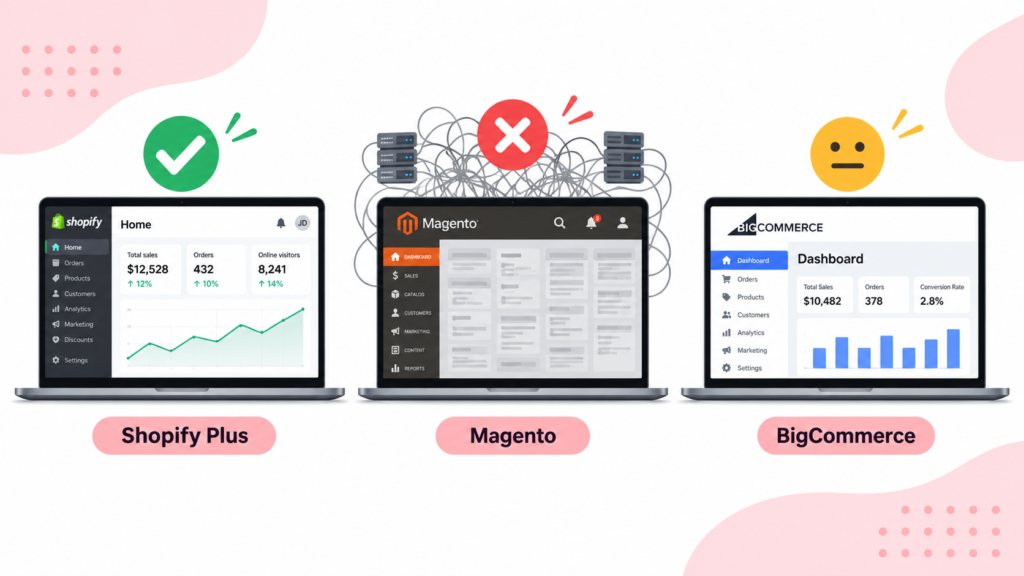
If you are evaluating Shopify Plus, you are probably also looking at Magento (Adobe Commerce) and BigCommerce Enterprise. Each platform has genuine strengths, and the right choice depends on your brand’s specific requirements, budget, and in-house technical capacity.
Shopify Plus vs Magento (Adobe Commerce)
Where Shopify Plus wins:
- Lower total cost of ownership. Magento’s licensing (Adobe Commerce Cloud starts at $40,000+/year for enterprise) plus hosting, security, and ongoing server management makes it 3-5x more expensive than Shopify Plus for most Indian brands. And that is before development costs, which are also higher because Magento requires specialized PHP developers.
- Faster time to market. A Shopify Plus store can be fully operational in 4-8 weeks. A comparable Magento enterprise build typically takes 4-6 months.
- Built-in infrastructure. Shopify handles hosting, security, SSL, CDN, and platform updates. With Magento, you either manage this yourself or pay for managed hosting (Cloudways, AWS, or similar), adding complexity and cost.
- App ecosystem. Shopify’s app store is significantly larger and more actively maintained for ecommerce-specific functionality.
Where Magento wins:
- Complete code ownership. Magento is open-source (Community Edition). You own and control every line of code, database, and server configuration. For brands with specific regulatory or data residency requirements, this matters.
- Unlimited customization depth. There are no platform-imposed boundaries. If you can code it, you can build it. Shopify Plus, despite its extensibility, still operates within Shopify’s framework.
- Multi-store with shared catalog at scale. While Shopify Plus offers expansion stores, Magento’s multi-store architecture is more mature for complex setups with dozens of storefronts sharing inventory and customer data.
Verdict for Indian brands: Unless you have a dedicated in-house development team of 3+ Magento developers and very specific customization needs that Shopify cannot accommodate, Shopify Plus is the more practical choice. The total cost savings, faster deployment, and lower maintenance burden make it the default recommendation for Indian D2C brands doing ₹1-50 crore annually.
Shopify Plus vs BigCommerce Enterprise
Where Shopify Plus wins:
- Ecosystem and community. Shopify’s app ecosystem, developer community, and agency partner network is significantly larger. Finding experienced Shopify Plus developers in India is easier and more affordable than finding BigCommerce specialists.
- Checkout customization. Plus’s Checkout Extensibility is more flexible than BigCommerce’s checkout SDK for Indian-specific customizations like COD verification and UPI integration.
- B2B capabilities. Shopify Plus’s built-in B2B channel is more integrated than BigCommerce’s B2B edition, which often requires additional third-party tools.
Where BigCommerce wins:
- No transaction fees. BigCommerce does not charge additional transaction fees regardless of your payment gateway. For Indian merchants already paying gateway processing fees, this is a genuine cost advantage.
- Built-in features over apps. BigCommerce includes more native functionality out of the box (faceted search, customer groups, price lists) that Shopify requires apps for, reducing monthly app spend.
- API-first architecture. BigCommerce’s headless capabilities are built into the core platform rather than being an add-on framework, making headless builds more straightforward.
Verdict for Indian brands: BigCommerce is a viable alternative, especially for brands that want to avoid transaction fees and prefer more built-in functionality. However, the smaller ecosystem, fewer experienced Indian developers, and less mature integration support for Indian payment gateways and logistics providers make it a secondary choice for most Indian ecommerce operations.
What Shopify Plus Still Cannot Do (Limitations)
Shopify Plus is powerful, but it is not perfect. And understanding its limitations before you commit is just as important as understanding its features. Here is what Plus still cannot do, specifically in the Indian market context:
No Shopify Payments in India
This is the biggest limitation for Indian merchants. Shopify Payments, which eliminates the additional transaction fee entirely, is not available in India. This means every Indian Plus store pays the 0.2% Shopify transaction fee on top of whatever their payment gateway (Razorpay, Cashfree, PayU) charges for processing. For brands processing ₹2-5 crore monthly, this adds up to ₹40,000 – ₹1,00,000 per month in fees that merchants in the US, UK, or Europe do not pay.
There is no confirmed timeline for Shopify Payments launching in India.
Limited Native Multi-Language Support
While Shopify Plus supports multi-language storefronts through the Translate and Adapt app, native support for Indian languages like Hindi, Tamil, Bengali, and Marathi is limited. The translations work, but the experience is not as polished as purpose-built multilingual platforms. For brands targeting Tier 2 and Tier 3 cities where Hindi-first or regional language storefronts could significantly improve conversion, this remains a gap.
Theme Customization Boundaries Still Exist
Despite the “unlimited customization” marketing, Shopify Plus still runs on Shopify’s Liquid templating engine for standard themes. You have significantly more flexibility than standard plans, but you are still working within Shopify’s theme architecture. Truly custom frontend experiences require going headless with Hydrogen, which adds substantial development cost and complexity.
Shopify Flow Has a Learning Curve
Flow is powerful, but it is not plug-and-play for complex workflows. Building sophisticated automation chains that handle edge cases (partial refunds, split shipments, conditional discount stacking) requires either a developer comfortable with Flow’s logic or an experienced Shopify Plus agency. It is not the drag-and-drop simplicity that the marketing suggests.
App Dependency Remains
Even on Plus, you will likely need 10-15 third-party apps for functionality that is not built into Shopify. Loyalty programs, advanced review systems, subscription management, visual merchandising tools, and many other features still require paid apps. Each app adds monthly cost, potential performance impact, and another integration to maintain.
Data Export and Portability
While Shopify Plus gives you better analytics through ShopifyQL, getting your raw data out of Shopify for external analysis is still not as straightforward as it should be. You can export CSVs and use the Admin API, but building a comprehensive data pipeline to a data warehouse requires custom development. Brands that need real-time data flowing into external BI tools should budget for this integration work.
Variable Platform Fees at Scale
Once your store exceeds a certain revenue threshold (typically around $800,000 annually), Shopify may apply a variable platform fee (0.25-0.40% of GMV) on top of the fixed subscription. For high-volume Indian brands, this can add a significant unexpected cost that is not always clearly communicated upfront.
The Honest Assessment
None of these limitations are dealbreakers for most Indian brands evaluating Plus. But they are worth factoring into your total cost calculations and feature expectations. The brands that have the best experience on Plus are the ones that go in with realistic expectations about what the platform does and does not do, rather than assuming “enterprise tier” means “no compromises.”
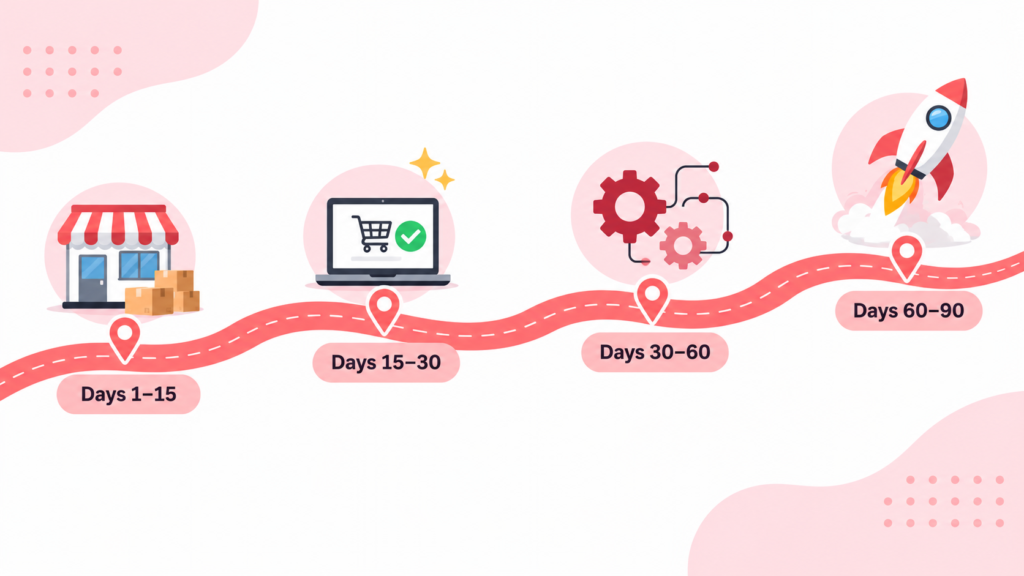
What Your First 90 Days After Upgrading Should Look Like
The upgrade to Shopify Plus is not a one-day event. The real value extraction happens in the weeks and months after migration. Here is a practical 90-day roadmap that separates brands that see ROI quickly from those that wonder why they upgraded.
Days 1 – 14: Stabilize and Monitor
The first two weeks are about making sure nothing is broken and establishing baseline metrics.
- Monitor checkout completion rates daily. Compare against your pre-migration benchmarks. Any drop needs immediate investigation.
- Verify all payment methods are processing correctly. Test UPI, card payments, net banking, COD, and wallet transactions with real (small) orders.
- Confirm 301 redirects are working. Use Google Search Console to identify any crawl errors from the migration.
- Check all Shopify Flow automations are firing correctly. Review the Flow run logs for failed executions and edge cases you did not anticipate.
- Confirm all logistics integrations are syncing properly. Order creation, tracking updates, and NDR notifications should flow without manual intervention.
Days 15 – 30: Optimize Checkout
This is where the first measurable ROI starts appearing.
- Implement your checkout customizations if they were not part of the initial migration. COD verification steps, prepaid incentives (extra discount for prepaid orders), and trust signal placement.
- A/B test different checkout layouts. Test payment method ordering (UPI first vs cards first), shipping information placement, and discount code visibility.
- Set up abandoned checkout recovery flows that leverage your new Shopify Flow automations. Automated WhatsApp reminders at 30 minutes, email at 2 hours, and SMS at 24 hours.
- Review checkout analytics to identify the specific step where customers drop off and address those friction points.
Days 31 – 60: Build Your Automation Stack
With the store stable and checkout optimized, focus on operational efficiency.
- Build inventory management automations. Low-stock alerts, automatic reorder triggers to suppliers, and out-of-stock product page handling (hide vs waitlist vs show alternatives).
- Set up customer segmentation flows. Auto-tag customers by lifetime value, purchase frequency, product category preference, and geographic zone.
- Create fraud detection workflows. Flag orders with mismatched billing and shipping addresses, unusually high values from new customers, or multiple failed payment attempts.
- Implement RTO reduction automations. Auto-verify COD orders above certain thresholds, blacklist pin codes with high RTO history, and trigger prepaid conversion nudges for COD orders from risky zones.
Days 61 – 90: Scale and Expand
Now you start leveraging Plus-exclusive features for growth.
- If B2B is relevant, set up your wholesale storefront with separate price lists, company accounts, and minimum order quantities.
- Configure expansion stores if you are planning international sales or sub-brand launches.
- Set up Shopify Audiences and test AI-generated ad audiences against your existing targeting.
- Build custom reports in ShopifyQL that give your team the specific metrics they need without manual data exports.
- Review your first full month of Plus data against your pre-migration baselines. Document what improved, what stayed the same, and what still needs work.
The Common Mistake
The most common mistake brands make is trying to implement everything in the first week. They migrate, set up 15 automations, customize the checkout, configure B2B, and launch expansion stores all at once. The result is a tangled mess of untested workflows, conflicting automations, and a team that is overwhelmed by a platform they do not fully understand yet.
The phased approach works better. Stabilize first. Optimize the checkout for quick wins. Build automation gradually. Then expand. Each phase builds confidence and skills that make the next phase smoother.
How to Choose the Right Shopify Plus Development Partner in India
Choosing a Shopify Plus development Partner is a decision that affects your store’s performance, your migration timeline, and your ongoing operational efficiency for years. The Indian market has hundreds of agencies claiming Shopify expertise, but Plus-level work requires a specific skill set that most generalist web agencies do not have.
Here is what to evaluate:
Plus-Specific Experience (Not Just Shopify Experience)
There is a significant gap between building a standard Shopify store and executing a Shopify Plus implementation. Plus involves Checkout Extensibility, Shopify Functions, Flow automation architecture, B2B configuration, and expansion store setup. Ask specifically about these. A portfolio full of Basic and Advanced stores does not translate to Plus competence.
Look for case studies that show actual Plus-specific work: checkout customization implementations, complex Flow automation setups, migration from other platforms to Plus, and stores handling 1,000+ daily orders.
India-Specific Integration Knowledge
Your Plus partner needs hands-on experience with the Indian ecommerce tech stack:
- Razorpay, Cashfree, and PayU integration nuances (each gateway has quirks with Shopify’s checkout that only experience reveals)
- Indian logistics providers (Shiprocket, Delhivery, Blue Dart) and their API behaviors
- Tally and Indian accounting system integration for GST compliance
- WhatsApp Business API integration for Indian customer communication workflows
- COD-specific optimizations that international agencies do not think about
An international agency might build a technically sound Plus store, but miss the India-specific operational details that make the difference between a store that works and a store that works well for Indian customers.
Post-Launch Support Structure
The Plus migration is just the beginning. Your partner should offer:
- Ongoing shopify maintenance service options for regular updates, bug fixes, and performance optimization
- Access to developers who understand your specific store’s codebase, not a rotating team where you re-explain your setup every time
- Response time SLAs for critical issues, especially during peak traffic events like Diwali sales
- Proactive performance monitoring and optimization recommendations
Brands get the most value from Plus when their development partner stays involved through the first 90 days and beyond. The automations, checkout flows, and integrations need tuning based on real performance data, not assumptions made during the build phase.
Pricing Transparency
Be cautious of agencies that quote a single fixed price without a detailed scope document. Shopify Plus projects have too many variables for a ballpark quote to be reliable. A credible partner will:
- Ask detailed questions about your current setup, integration requirements, and customization needs before quoting
- Provide a phased quote with clear deliverables for each phase
- Be transparent about what is included and what costs extra (custom app development, third-party app subscriptions, ongoing maintenance)
- Explain the difference between their development cost and the ongoing Shopify Plus subscription and app costs
Red Flags to Watch For
- Promising unrealistic timelines (“we will migrate your Magento store to Plus in 2 weeks”)
- No Plus-specific case studies or references
- Quoting significantly below market rates (₹2-3 lakh for a Plus build usually means they are treating it like a standard Shopify project)
- No mention of data migration planning or SEO preservation
- Inability to explain Checkout Extensibility, Shopify Functions, or Flow in practical terms
Common Mistakes Brands Make with Shopify Plus
After working with brands at various stages of their Shopify Plus journey, certain mistakes come up repeatedly. Avoiding these saves both money and months of frustration.
1. Upgrading Too Early
The most expensive mistake is upgrading before you need to. If your brand is doing less than ₹50 lakh monthly and you do not have specific operational bottlenecks that only Plus can solve, you are paying for infrastructure you are not using. The monthly subscription cost, higher development costs, and increased complexity are not justified by “future-proofing” alone. Start on Advanced, optimize everything you can within that plan’s limits, and upgrade when those limits genuinely start costing you revenue.
2. Treating Plus Migration Like a Theme Switch
Some brands (and some agencies) treat the Plus upgrade like installing a new theme. They migrate the store, pick a theme, and call it done. The actual value of Plus comes from Checkout Extensibility, Flow automations, Functions, and the custom integrations these features enable. If you migrate and do not implement any of these within the first 60 days, you are paying Plus pricing for Advanced-level functionality.
3. Over-Engineering Automations from Day One
Shopify Flow is powerful, and brands often try to automate everything immediately. The result is a web of interconnected automations that nobody fully understands, with edge cases that create unexpected behaviors (auto-cancelling orders that should not have been cancelled, mistagging customers based on incomplete logic, triggering duplicate notifications).
Start with 3-5 high-impact automations. Test them thoroughly for at least two weeks. Then add more gradually. Each automation should solve one specific, measurable problem.
4. Ignoring the Checkout Customization Opportunity
This is the opposite of mistake number two. Some brands upgrade to Plus specifically for checkout control but then never actually customize their checkout beyond the default. They get busy with other aspects of the migration and the checkout stays stock. Given that checkout optimization is often the single highest-ROI activity on Plus for Indian brands (especially for reducing COD-related RTOs), this should be one of the first things implemented, not an afterthought.
5. Not Planning for Ongoing Costs
Brands budget for the migration and the first year of subscription but do not account for ongoing costs: app subscriptions that grow as you add functionality, maintenance retainer for a developer who knows your store, theme and customization updates, new integrations as your operations scale. A Plus store is not a one-time build. It is a living system that needs regular investment to deliver its full potential.
6. Choosing an Agency Based Purely on Price
Shopify Plus projects in India range from ₹4 lakh to ₹20 lakh+. shopify development agency quoting ₹2-3 lakh for a “Plus build” is almost certainly treating it as a standard Shopify project with a Plus subscription. The result is a store that is technically on Plus but does not use any Plus-specific features. You end up paying enterprise subscription costs for a standard store, and then paying again later when you realize you need an experienced Plus agency to actually implement the features you are paying for.
7. Skipping the SEO Migration Plan
Every platform migration carries SEO risk. URL structures change, page load characteristics shift, internal linking patterns get disrupted. Brands that do not create a comprehensive 301 redirect map, preserve their meta data, and monitor Search Console closely for the first 30 days after migration often see a temporary (and sometimes not so temporary) organic traffic drop. This is entirely preventable with proper planning but consistently underestimated by brands excited about the upgrade.
Frequently Asked Questions
Shopify Plus starts at ₹1,75,000 per month in India. The exact price depends on your contract length and negotiation with Shopify’s sales team. Add 18% GST on top, so your actual monthly outflow starts at roughly ₹2,06,500. This does not include development costs, app subscriptions, or payment gateway fees.
It depends on your revenue and operational complexity. For brands processing ₹75 lakh to ₹1 crore+ monthly with specific needs like checkout customization, backend automation, or B2B alongside D2C, the ROI typically justifies the cost within 3-6 months. For brands under ₹50 lakh monthly without clear operational bottlenecks, Shopify Advanced is usually sufficient.
No. Shopify Payments is not available in India regardless of your plan. Indian merchants use third-party payment gateways like Razorpay, Cashfree, or PayU and pay the additional 0.2% Shopify transaction fee (on Plus) alongside their gateway’s processing charges.
A straightforward upgrade from Shopify Advanced to Plus typically takes 4-6 weeks. Migrations from other platforms like Magento or WooCommerce with complex data structures, custom integrations, and large product catalogs usually require 8-12 weeks for a thorough implementation.
The core differences are checkout customization (Plus gives you full Checkout Extensibility), Shopify Functions for custom backend logic, B2B storefront capability, up to 9 expansion stores, unlimited staff accounts, higher API limits, and a dedicated Merchant Success Manager. The transaction fee also drops from 0.6% on Advanced to 0.2% on Plus.
You can technically set up a Plus store yourself, but you will likely underutilize the platform. The features that justify Plus pricing (Checkout Extensibility, Functions, complex Flow automations, B2B setup) require development expertise. Most brands get better ROI by working with an experienced Shopify Plus agency for the initial setup and then managing day-to-day operations in-house.
Shopify Plus development in India ranges from ₹4,00,000 to ₹20,00,000+ depending on complexity. A basic Plus setup with theme customization and migration runs ₹4,00,000 to ₹8,00,000. Custom builds with integrations, checkout customization, and B2B fall in the ₹8,00,000 to ₹15,00,000 range. Enterprise builds with headless architecture and complex integrations go from ₹15,00,000 to ₹20,00,000+.
Yes, but it is not seamless. You will lose access to Plus-exclusive features like Checkout Extensibility customizations, Shopify Functions, B2B storefront, expansion stores, and certain Flow capabilities. Any custom checkout work built on Plus APIs will stop working. Downgrading should be a carefully planned process, not a quick switch.
For most Indian D2C brands, yes. Shopify Plus offers significantly lower total cost of ownership, faster deployment, zero infrastructure management, and a larger app ecosystem. Magento is better suited for brands that need complete code ownership, have dedicated in-house development teams, or have very specific customization requirements that cannot be met within Shopify’s framework.
With proper planning (comprehensive 301 redirect mapping, meta data preservation, sitemap submission, and Search Console monitoring), your SEO rankings should remain stable. Some minor fluctuations in the first 2-4 weeks are normal as Google recrawls your site. Without proper redirect planning, migrations can cause significant organic traffic drops that take months to recover from.
Conclusion
Shopify Plus is not for every Indian ecommerce brand. It is for brands that have outgrown standard Shopify plans and need enterprise-grade checkout, automation, and multi-storefront capability.
The upgrade makes financial sense when your monthly revenue crosses ₹1 crore, manual operations are eating into margins, and checkout limitations are costing conversions. At that level, transaction fee savings and automation gains typically deliver positive ROI within the first quarter.
But the platform alone does not deliver results. Your implementation plan, integration architecture, and how quickly you roll out Plus-specific features in the first 90 days determine whether the investment pays off. Brands that upgrade without a clear plan end up paying enterprise prices for standard functionality.




This Post Has One Comment